


Creating a cozy and productive home workspace is essential for anyone working remotely or spending significant time on projects at home. A well-designed area not only improves your focus and efficiency but also promotes comfort and well-being throughout the day. Whether you have a dedicated room or just a small corner of a living space, there are several ways to optimize your environment to make it both inviting and functional.
Choose the Right Location
Finding the perfect spot for your workspace is the first step. Ideally, select a quiet area away from distractions such as the television or busy household zones. Some factors to consider include:
– Natural light: A space near a window allows fresh light, which can improve mood and reduce eye strain.
– Privacy: Having a dedicated area signals to others that you’re working.
– Space: Ensure there’s enough room for your desk, chair, and any equipment or supplies.
If space is limited, consider creative options like setting up a fold-away desk or using a corner nook.
Invest in Comfortable Furniture
Comfort is key to staying productive, especially when you spend long hours sitting. Here are some recommendations:
– Ergonomic chair: Choose one that supports your back and promotes good posture.
– Desk height: Your desk should allow your arms to rest comfortably at a 90-degree angle.
– Adjustable furniture: Standing desks or adjustable chairs can help you change positions throughout the day and reduce fatigue.
Don’t overlook small additions such as wrist rests, footrests, or seat cushions, which can enhance comfort considerably.
Optimize Lighting
Good lighting helps prevent headaches and keeps you alert.
– Combine natural and artificial light: Use a desk lamp with adjustable brightness alongside daylight.
– Avoid glare: Position screens to minimize reflections from windows or overhead lights.
– Warm tones: Choose bulbs with warm tones to create a cozy atmosphere but ensure they provide adequate brightness.
Organize and Declutter
A messy workspace can be distracting and stressful. Keep your area neat with these strategies:
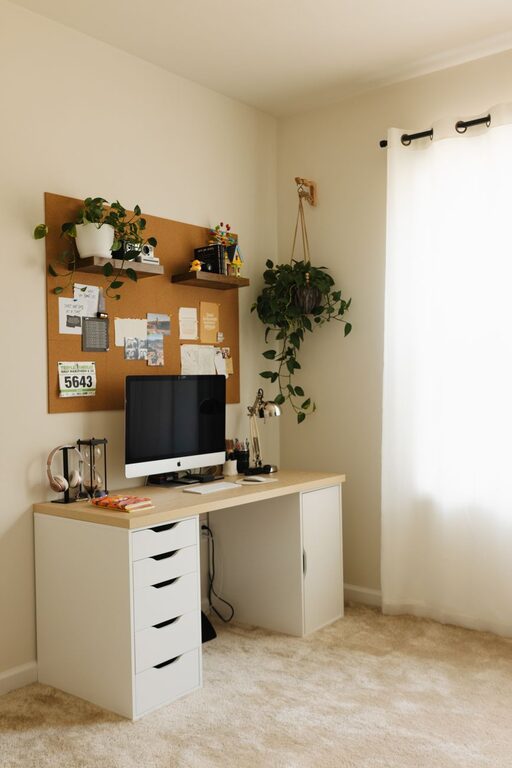
– Storage solutions: Use shelves, drawers, and organizers to keep supplies tidy.
– Cable management: Use clips, ties, or covers to keep cords under control.
– Daily tidying: Spend a few minutes at the end of each day putting things back in place.
A clean workspace helps your mind feel clear and focused.
Personalize Your Space
Adding personal touches can make your workspace more inviting and motivating.
– Decor: Include artwork, photos, or decorative items that inspire you.
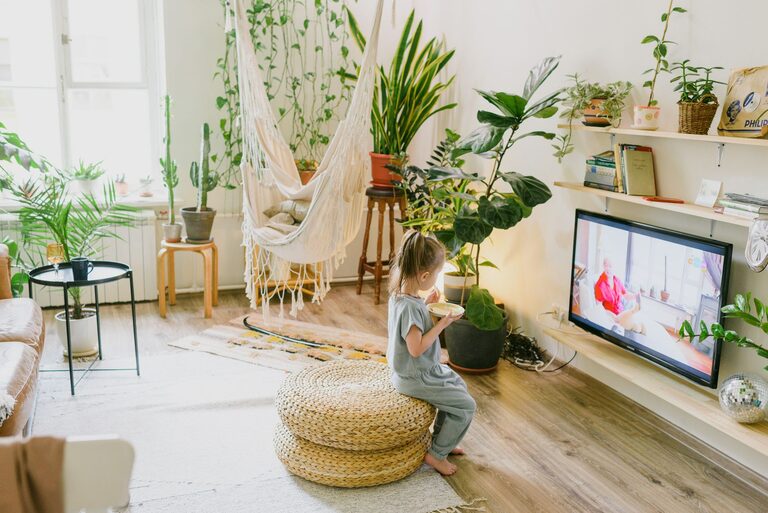
– Plants: Houseplants not only add color but can improve air quality and boost mood.
– Color scheme: Choose soothing colors that help you relax but also stimulate focus, such as blues, greens, or light neutrals.
Balance is important—too many items can clutter your space, so keep it simple and meaningful.
Minimize Distractions
Maintaining focus requires managing potential interruptions effectively.
– Noise control: Use noise-canceling headphones or play background music if it helps concentration.
– Notifications: Turn off non-essential notifications on devices during work hours.
– Boundaries: Communicate your work hours and space boundaries to family or roommates.
Creating clear separation between work and personal time helps maintain productivity.
Incorporate Break Areas
If your workspace allows, create a small area for breaks to recharge.
– Comfortable seating: A cozy chair or cushion can help you relax during short rests.
– Stretching space: Ensure you have room to stand, stretch, or do light exercises.
– Refreshments: Keep water or healthy snacks nearby to stay energized.
Taking intentional breaks supports sustained focus and reduces burnout.
Utilize Technology Wisely
Technology tools can enhance your home workspace if used thoughtfully.
– Quality equipment: Invest in reliable computers, monitors, and input devices.
– Wireless peripherals: Reduce clutter with wireless keyboards, mice, and printers.
– Software: Use productivity apps, calendars, and task managers to organize your work.
Regularly update software and maintain clean digital files to prevent technical frustrations.
Maintain Good Air Quality and Temperature
Comfort extends beyond furniture and lighting.
– Ventilation: Open windows or use air purifiers to keep the air fresh.
– Temperature control: Use fans, heaters, or humidifiers to maintain a comfortable environment.
– Fragrance: Consider subtle scents like lavender or citrus through candles or diffusers, but avoid overpowering smells.
A balanced environment helps you breathe easier and stay comfortable throughout your workday.
—
By thoughtfully designing your home workspace with these tips, you can create a cozy environment that supports productivity and well-being. Remember, the best workspace is one that suits your unique needs and preferences, so feel free to experiment and adjust until you find what works best for you. Happy working!